

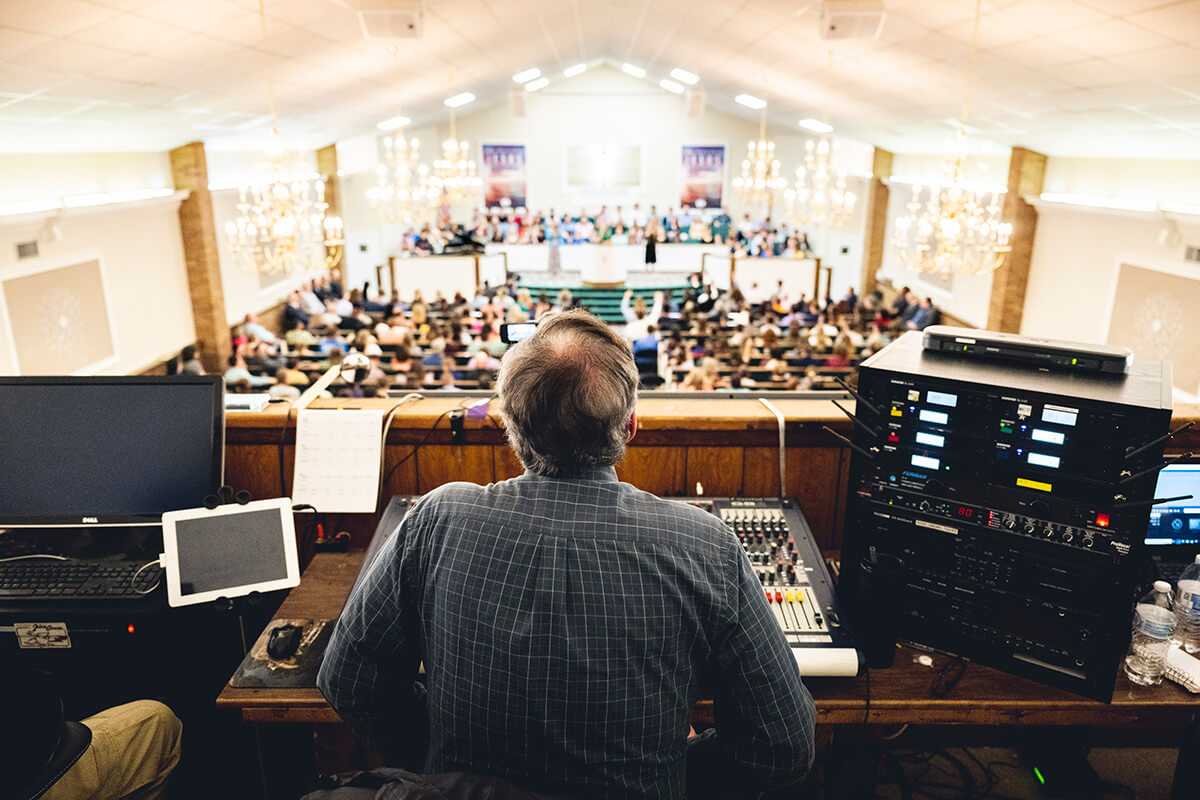
How Can Churches in Midland and Odessa Improve IT Security, Reliability, and Technology Planning?
Churches in Midland, Odessa, and the Permian Basin can improve technology reliability by following five priorities: protect sensitive information, maintain dependable systems, document technology responsibilities, plan equipment and software changes, and establish proactive IT support.
For a church with 15 to 30 employees and 25 to 50 managed devices, these priorities can help reduce recurring technology problems and improve day-to-day operations.
West Texas IT Consulting helps organizations manage technology through proactive monitoring, layered cybersecurity, documentation, and long-term technology alignment.
This resource center provides practical guidance for church leaders evaluating technology risks, planning improvements, and comparing IT support options.
Find Church IT Guidance by Technology Challenge
A longtime volunteer leaves.
An aging server becomes unreliable.
A new ministry facility is scheduled to open.
A software vendor announces a major change.
Rather than treating every situation as a general IT problem, church leaders can use the resources below to identify the decisions, responsibilities, and planning steps involved.
Church IT Leadership and Employee Transitions
How Should Churches Manage Technology When Their IT Person Leaves?
Learn how to recover administrative control, verify backups, document critical systems, and establish a 30-day technology transition plan when an employee or volunteer who manages IT becomes unavailable.
How Should Churches Handle Technology When Employees Leave or Change Roles?
Use a six-step offboarding framework to review accounts, remove unnecessary permissions, recover equipment, preserve church records, and transfer responsibilities.
Microsoft 365, Software, and Shared Computers
What Should Churches Know Before Moving Their Files and Applications to Microsoft 365?
Evaluate licensing, file organization, identity security, application compatibility, and migration testing before moving church information into Microsoft 365.
What Should Churches Do Before Replacing Their Accounting or Church Management Software?
Compare software requirements, protect historical records, review vendor security, test integrations, and plan a controlled migration.
How Should Churches Manage Computers and Technology Used by Multiple People?
Establish individual accountability, appropriate permissions, consistent security settings, and safe sign-out procedures for devices used by employees and volunteers.
Confidential Information and Vendor Access
How Can Churches Protect Confidential Counseling and Pastoral Care Information?
Apply a six-control privacy framework to sensitive ministry information, including restricted access, secure storage, communication safeguards, retention, and incident response.
How Should Churches Manage Technology Used by Outside Vendors and Contractors?
Document third-party access, establish approval procedures, restrict administrative permissions, coordinate system changes, and remove access when vendor work ends.
Equipment, Internet Connectivity, and Operational Reliability
Use a five-factor replacement framework to evaluate equipment support, security, performance, operational impact, and long-term costs.
How Can Churches Reduce Technology Problems Caused by Poor Internet Connectivity?
Identify whether recurring problems originate with the internet provider, internal network, wireless infrastructure, equipment, or applications.
How Can Churches Prevent Technology Problems During Major Holiday Services?
Prepare for Easter, Christmas, and other major events with a 30-day readiness process covering connectivity, production equipment, backup options, support responsibilities, and rehearsals.
Facility Expansion and Disaster Preparedness
What Should Churches Know Before Opening a New Ministry Facility?
Plan internet service, network infrastructure, security, vendor coordination, equipment installation, and ongoing support before opening a new building.
How Can Churches Prepare Their Technology for Severe Weather and Extended Power Outages?
Identify critical systems, evaluate power protection, verify backups, establish recovery priorities, and prepare for internet and facility interruptions.
Choosing the Right IT Support Model
Which Churches Are NOT a Good Fit for West Texas IT Consulting’s Managed Services?
Understand when proactive managed services may not be appropriate, including situations involving break-fix expectations, limited security commitments, or incompatible support requirements.
What Are 5 Things Churches Should Look for When Choosing an IT Provider in the Permian Basin?
Compare providers using five criteria: proactive management, cybersecurity, support expectations, transparent pricing, and long-term technology planning.
What Technology Problems Should Church Leaders Address First?
A practical approach is to identify problems based on their operational impact.
Priority 1: Address Immediate Security and Access Risks
Examples include:
- Former employees retaining access.
- Shared administrator credentials.
- Unsupported computers.
- Unprotected sensitive information.
- Unknown vendor permissions.
- Missing or unverified backups.
Priority 2: Stabilize Systems That Support Daily Operations
Review recurring problems affecting:
- Internet connectivity.
- Staff computers.
- Microsoft 365.
- Accounting applications.
- Church management software.
- Shared devices.
- Essential communications.
The objective is to identify underlying causes rather than repeatedly address the same symptoms.
Priority 3: Plan Major Technology Changes
Technology projects benefit from early planning.
Examples include:
- Replacing a server.
- Migrating to Microsoft 365.
- Changing accounting software.
- Opening a new ministry facility.
- Expanding wireless coverage.
- Replacing aging equipment.
A documented plan helps leadership understand dependencies, costs, responsibilities, and implementation risks.
Priority 4: Establish Recovery Procedures
Churches should identify the systems they need during a disruption.
For example, leadership may establish recovery priorities for the first 4 hours, 24 hours, and 72 hours after an incident.
These are planning categories, not guaranteed recovery times.
Actual recovery capabilities depend on the systems, backup design, available infrastructure, and selected services.
Priority 5: Move Toward Consistent Technology Management
Once urgent risks and recurring problems are understood, churches can establish:
- Equipment standards.
- Monitoring and patching.
- Secure documentation.
- User access procedures.
- Vendor coordination.
- Technology replacement schedules.
- Budget forecasts.
- Regular technology reviews.
This approach supports more predictable operations and reduces dependence on individual employees or volunteers.
How Does Proactive Managed IT Support Work for Churches?
West Texas IT Consulting operates through Managed Services Agreements rather than a traditional break-fix model.
The objective is to maintain a documented, monitored, and appropriately secured technology environment.
WTITC’s managed services approach includes:
Proactive Monitoring and Maintenance
Datto RMM supports monitoring and patching for managed endpoints.
Proactive alerts and remediation help identify certain technical issues before they create larger disruptions.
Monitoring does not guarantee that every problem will be detected or prevented.
Secure Technology Documentation
IT Glue documentation and secure password management help preserve important information about systems, accounts, vendors, and technology responsibilities.
This is especially valuable when employees, volunteers, or outside contractors change.
Help Desk and Coordinated Support
Onsite support is coordinated when warranted.
Some onsite hours may be included depending on the agreement, while additional onsite work and major projects may be scoped separately.
Layered Cybersecurity
WTITC offers two security packages.
Essentials Security includes antivirus, Endpoint Detection and Response, unified device backup, and Datto SaaS Protection where applicable.
Complete Security adds Inky email security, BullPhish ID security awareness training, Dark Web ID monitoring, SaaS Alerts, and Microsoft 365 management and maintenance.
Complete is WTITC’s standard recommendation for most organizations.
Optional services may include Business Continuity and Disaster Recovery, Vonahi third-party penetration testing, and Compliance Manager.
Recommendations and declined options should be documented with the associated risks understood.
Technology Alignment and Planning
The goal is to identify improvements that support reliable operations and more predictable technology decisions.
How Much Should Churches Budget for Managed IT Services?
For general planning, a properly secured managed IT environment may cost approximately $125 to $175 per endpoint per month.
This is a broad planning benchmark, not a fixed quote or a substitute for WTITC’s actual pricing calculation.
WTITC uses a three-layer recurring pricing model.
Layer 1: Security Package
The church selects the appropriate Essentials or Complete security package.
The cost depends on the selected protections and applicable requirements.
Layer 2: Managed Services Fee
The managed services fee is $40 per managed endpoint per month.
This supports monitoring, patching, proactive alerts and remediation, documentation, secure password management, and unlimited remote Help Desk support.
Layer 3: Tiered Technology Fee
The technology fee depends on the number of managed devices.
The Tiered Technology Fee scales according to the size of the managed environment.
For example:
| Managed Devices | Monthly Tier Fee |
|---|---|
| 1–9 | $1,050 |
| 10–19 | $1,650 |
| 20–29 | $2,750 |
| 30–39 | $3,850 |
| 40–49 | $4,950 |
| 50–59 | $6,050 |
| 60–69 | $7,050 |
| 70–79 | $8,250 |
| 80–89 | $9,350 |
| 90–99 | $10,450 |
These amounts represent the technology fee only.
The security package and $40 per-endpoint services fee are additional.
Example: A Church With 30 Managed Endpoints
A church with 30 managed endpoints falls into the 30-39 device technology fee tier.
Its recurring pricing calculation would begin with:
- Managed Services Fee: 30 × $40 = $1,200 per month.
- Tiered Technology Fee: $3,850 per month.
- Security Package: Additional cost based on the selected package and applicable requirements.
The recurring total would therefore be:
$5,050 per month plus the applicable security package and separately scoped services.
This is an illustration of the pricing structure, not a complete quote.
Major projects, equipment purchases, software migrations, and optional services may create additional costs.
WTITC uses $150 per hour as a professional services benchmark for project and out-of-scope work.
What Should Churches Expect From an IT Provider?
Useful questions include:
- Which systems and devices will be managed?
- What cybersecurity protections are included?
- How are recurring problems identified and addressed?
- How do employees request support?
- What onsite services are included?
- Who maintains administrative accounts and documentation?
- How are outside vendors coordinated?
- What backup and recovery capabilities are included?
- How are technology projects priced?
- How does the provider help plan future improvements?
No provider should promise that every outage, cyberattack, or technology problem can be prevented.
Church leadership should evaluate the provider’s processes, service boundaries, and ability to support the organization’s actual needs.
What Might Technology Improvement Look Like for a West Texas Church?
- 24 employees.
- 38 managed endpoints.
- One main campus.
- A separate ministry building.
- Microsoft 365.
- Cloud-based church management software.
- Several shared computers.
- A mix of older and newer network equipment.
The church experiences recurring internet problems, inconsistent device security, and uncertainty about administrative passwords.
Leadership also plans to replace several computers within the next year.
A structured improvement process could begin with a technology inventory and risk assessment.
The next steps might include securing administrative access, reviewing network performance, verifying backup coverage, standardizing device management, and developing a replacement schedule.
The expected outcome is a more organized technology environment with clearer responsibilities and fewer unmanaged dependencies.
This is a hypothetical planning example, not a verified WTITC customer result.
Does Every Church Need Managed IT Services?
Some churches have limited technology requirements and prefer occasional technical assistance.
Others rely heavily on cloud applications, multiple facilities, staff devices, sensitive records, and online ministry operations.
The appropriate support model depends on:
- Technology complexity.
- Security requirements.
- Number of users and devices.
- Internal technical resources.
- Budget.
- Operational expectations.
- Leadership’s willingness to maintain technology standards.
WTITC’s managed services model is intended for organizations seeking proactive support, layered security, documentation, and long-term technology alignment.
It may not be the right choice for churches seeking only occasional repairs or the lowest possible monthly IT cost.
A transparent assessment helps determine whether the service model fits.
How Can West Texas IT Consulting Help?
West Texas IT Consulting serves organizations in Midland, Odessa, and surrounding West Texas communities.
Its approach focuses on proactive technology management rather than waiting for problems to occur.
For churches evaluating their technology environment, the best first step is to identify current risks, recurring problems, and upcoming changes.
That assessment can help leadership determine whether the church needs immediate improvements, a long-term technology roadmap, or an ongoing managed services relationship.
Explore West Texas IT Consulting’s Managed Services to learn how proactive monitoring, cybersecurity, documentation, and technology alignment can support more reliable church operations.
• Don’t Just Take Our Word for it! •
Ready to Talk About Your Business?
If you’re running a small or medium sized business in the Permian Basin and want IT that actually understands your environment, we’d be happy to talk!
