

You are reading Part 7 of our 12-part Supply House Authority Series.
A supply company should secure Microsoft 365 with a layered approach that protects email, user identities, cloud activity, access controls, and employee behavior. For a 15 to 30 employee supply house, Microsoft 365 may support email, files, collaboration, vendor communication, accounting workflows, and customer service. That makes it a high-value target for phishing, credential theft, account takeover, and fraudulent payment requests.
A strong Microsoft 365 security strategy should combine technical controls, user training, ongoing monitoring, and documented management.
The 5-Layer Microsoft 365 Security Framework
Supply companies can evaluate Microsoft 365 security across five layers:
- Email protection
- Identity and access control
- User security awareness
- Cloud monitoring and management
- Backup, documentation, and compliance readiness
The objective is not to promise that a Microsoft 365 account can never be compromised. No responsible provider can guarantee that. The objective is to reduce the likelihood of compromise, improve detection, and limit the impact if suspicious activity occurs.
1. Protect Email Before the Message Reaches the User
Email remains one of the most common ways attackers reach employees.
A supply house may receive messages involving:
- Purchase orders
- Shipping notices
- Invoices
- Vendor payment instructions
- Microsoft login notifications
- Customer requests
- Password resets
- File-sharing invitations
Attackers often imitate these normal business communications.
WTITC’s Complete Security Package includes Inky email security for spam filtering and phishing protection. A good email security layer should help identify suspicious messages before the user has to make the decision alone. That is especially important for employees who regularly communicate with vendors and customers.
Cybersecurity risks for supply companies frequently begin with email, credential theft, or vendor impersonation rather than a dramatic attack on the network itself. Filtering is not perfect, which is why additional layers are necessary.
2. Strengthen Identity and Access Controls
Email security protects the message flow. Identity security protects the account.
A compromised Microsoft 365 credential may allow an attacker to:
- Read email
- Send messages as the employee
- Access cloud files
- Monitor vendor conversations
- Attempt payment fraud
- Reset other passwords
- Create forwarding rules
- Impersonate management
Supply companies should evaluate controls such as:
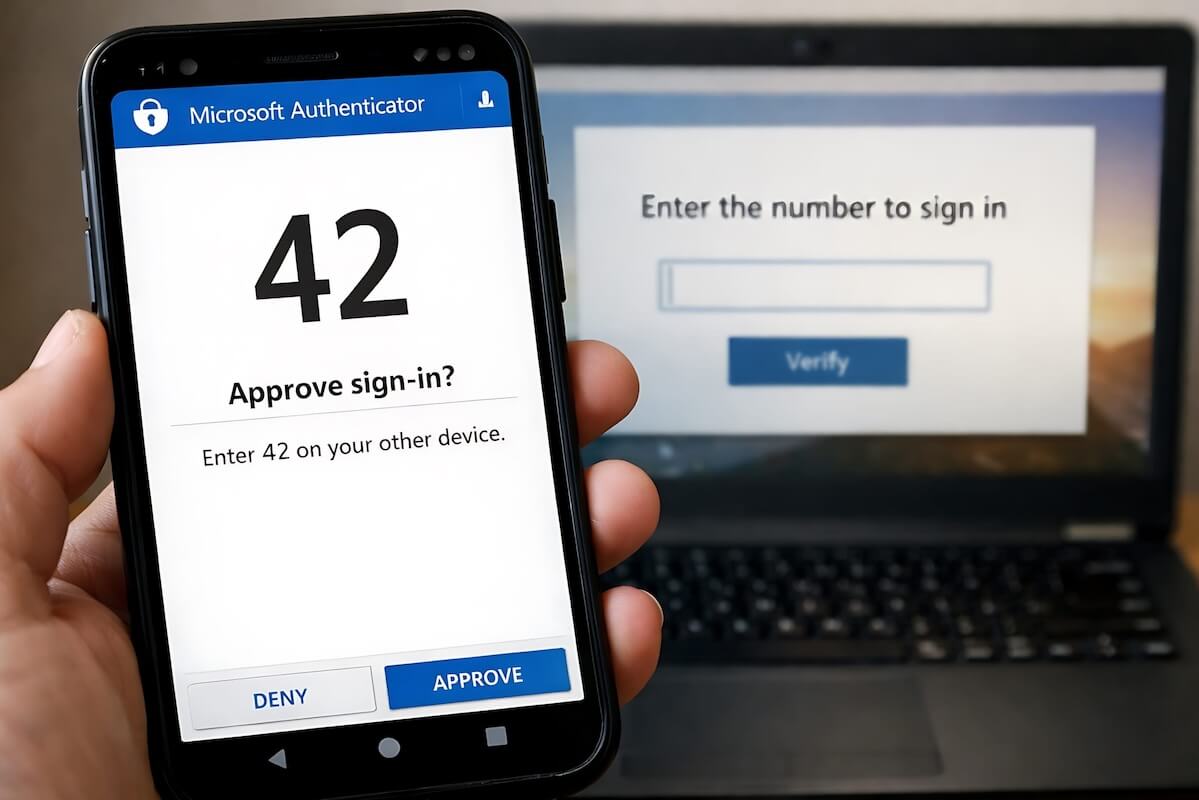
- Multi-factor authentication
- Strong password policies
- Administrative-account restrictions
- User-access reviews
- Account-disable procedures
- Monitoring for suspicious activity
- Role-based permissions where appropriate
Identity management should be ongoing. When employees join, change roles, or leave the company, account access should be reviewed rather than left indefinitely. This process also supports regulatory compliance readiness by helping document who has access to business systems and how that access is controlled.
3. Train Employees to Recognize Business Email Compromise
Technical controls do not eliminate the need for employee awareness. Attackers deliberately design messages to look believable.
An employee may see what appears to be:
- A supplier changing banking information
- A manager requesting an urgent payment
- Microsoft asking the user to sign in
- A shipping company sending a tracking attachment
- A customer sharing a document
WTITC’s Complete Security Package includes BullPhish ID security awareness training.
Training should help employees learn to:
- Recognize unusual payment requests
- Question unexpected login pages
- Avoid opening suspicious attachments
- Verify financial changes through a separate communication channel
- Report questionable email
- Understand how attackers use urgency and authority
The goal is not to blame employees. People are targeted because attackers know employees have access to valuable systems. Training gives them better tools to make good decisions.
4. Monitor Microsoft 365 as an Active Business System
Microsoft 365 should not be treated as “set it and forget it” software.
WTITC’s Complete Security Package includes:
- Microsoft 365 management and maintenance
- SaaS Alerts
- Dark Web ID monitoring
These controls can help provide visibility into cloud activity, credential exposure, and security conditions that might otherwise be missed. Technology alignment also matters here.
A Microsoft 365 environment can accumulate weaknesses such as:
- Old user accounts
- Inconsistent permissions
- Unnecessary administrator access
- Missing security controls
- Poorly documented settings
- Shared accounts
- Unmanaged forwarding rules
- Security features that are enabled inconsistently
Technology alignment helps supply companies improve Microsoft 365 security by identifying inconsistent settings, unmanaged access, recurring issues, and other gaps that should be corrected over time. This is part of the difference between owning security tools and actively managing the environment.
5. Protect Data and Support Compliance Readiness
Microsoft 365 contains business information that may be operationally important even if the company does not consider itself a heavily regulated organization.
Businesses may need to demonstrate security controls to:
- Cyber insurers
- Customers
- Vendors
- Auditors
- Industry partners
- Other third parties
WTITC’s security structure may include Datto SaaS Protection where applicable. Backup strategy should still be discussed in the context of actual business needs.
A business should know:
- Which Microsoft 365 data is protected
- How data is restored
- What retention is available
- Who can request recovery
- Which risks remain
- Whether broader BCDR requirements exist
Security controls can support regulatory compliance readiness, help document controls, and provide evidence for reviews. They do not guarantee legal or regulatory compliance. Compliance obligations should be evaluated with the appropriate legal, regulatory, or insurance professionals.
Example – A 26-Employee Electrical Supply Company
Consider a hypothetical electrical supply company in Midland with:
- 26 employees
- Microsoft 365
- 28 managed endpoints
- Sales and purchasing staff
- Accounting employees
- Frequent vendor communication
- Several users receiving invoices and payment instructions
One employee receives a fake Microsoft 365 login message after a supplier conversation. Without layered security, the employee’s password may be the only barrier.
With a layered approach:
- Email filtering may identify suspicious characteristics.
- Multi-factor authentication can reduce the usefulness of a stolen password.
- Security awareness training may help the employee recognize the fake login.
- SaaS monitoring may provide additional visibility into suspicious activity.
- Documentation and incident processes create a clear response path.
No single control is enough. The strength comes from using multiple controls that address different stages of the attack.
Microsoft 365 Security Checklist for Supply Companies
- Is business email protected by more than default spam filtering?
- Is phishing protection in place?
- Do employees know how to report suspicious messages?
Identity
- Is multi-factor authentication enforced appropriately?
- Are administrator accounts limited?
- Are user accounts reviewed regularly?
- Are former employees disabled promptly?
User Awareness
- Do employees receive security-awareness training?
- Are payment-change requests independently verified?
- Do employees understand credential phishing?
Monitoring
- Is Microsoft 365 actively managed?
- Is suspicious cloud activity monitored?
- Is exposed credential information reviewed?
Backup and Recovery
- Is Microsoft 365 data protected appropriately?
- Are restoration procedures understood?
- Are broader business continuity requirements evaluated separately?
Compliance Readiness
- Are controls documented?
- Can the company demonstrate active management?
- Are access and security settings reviewed?
- Are regulatory or cyber insurance requirements evaluated independently?
How Does Microsoft 365 Security Affect Managed IT Cost?
Microsoft 365 security is one reason businesses should not compare IT providers using endpoint price alone.
WTITC generally describes a properly secured managed environment as approximately $125 to $175 per endpoint per month, depending on security package, user count, environment size, cloud requirements, compliance needs, and other factors.
The Complete Security Package is the standard recommendation for most organizations because it addresses users and cloud services in addition to endpoints. A lower-priced proposal may omit some of these protections. That does not automatically make the proposal wrong, but the buyer should understand what risk remains.
Understanding what is included in a managed IT service agreement helps supply companies determine whether Microsoft 365 management, email protection, user security, and cloud monitoring are actually part of the quoted service.
What Should a Supply Company Do First?
Start by treating Microsoft 365 as a critical business platform, not just an email subscription. Protect the inbox. Protect the identity. Train the user. Monitor the environment. Protect important data. Review access regularly. Then document the controls so the business can understand what is protected, what remains optional, and what should be improved next.
Explore managed services that protect Microsoft 365, users, devices, and business operations through proactive security management and technology alignment.
